DualSense Client
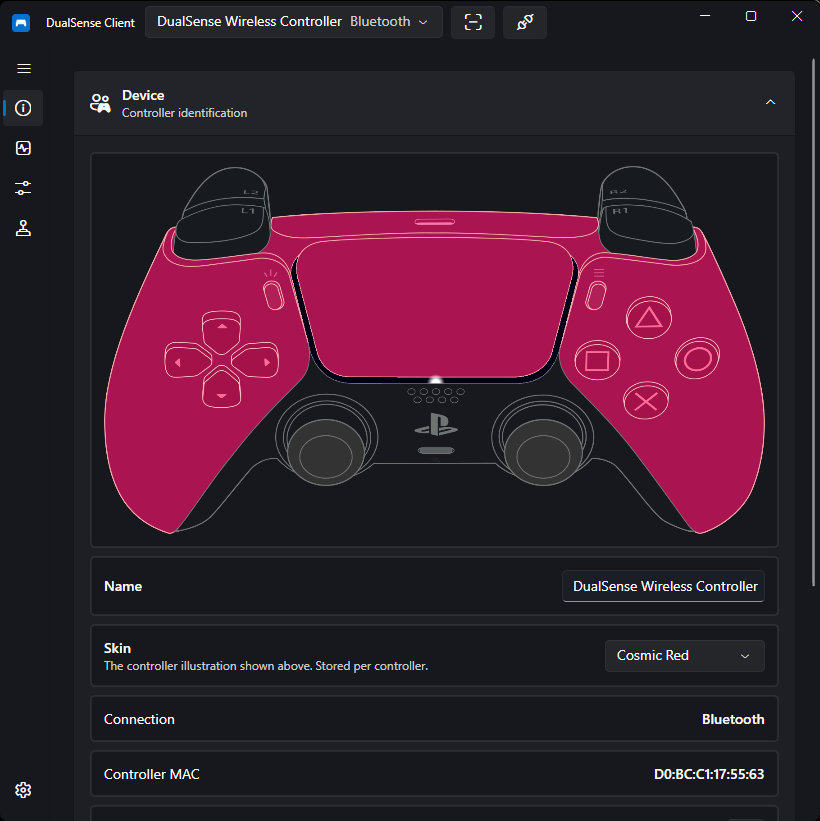
DualSense Client is an open-source management tool for the PlayStation 5 DualSense Controller on Windows and Linux. It provides lightbar and LED control, profile management, real-time input monitoring, rumble and adaptive trigger output, and audio playback to the controller's speaker and haptics.
It can also create virtual controllers (Xbox 360, DualShock 4, or DualSense) through the embedded libVIIPER backend, and hide physical controllers from other applications via HidHide.
Built with .NET and Avalonia, it connects over USB or Bluetooth through HIDAPI with no drivers required.
Supported Controllers
| Controller | Supported | Notes |
|---|---|---|
| DualSense (USB) | ✅ | Full support |
| DualSense (Bluetooth) | ✅ | Full support including speaker and haptics audio |
| DualSense Edge | ✅ | Full support including Fn buttons and paddles1 |
1. Implemented but not yet verified on real hardware — no Edge device was available during development.
Features
-
Device Information
Battery level, firmware versions, and connection status at a glance.
-
Input Monitor
Live view of every button, stick, trigger, motion sensor, and touchpad input.
-
Rumble & Triggers
Test motors and configure adaptive trigger effects for L2/R2.
-
Audio
Play audio to your desktop, the DualSense speaker, or the haptics.
-
Light Control
Full RGB lightbar control, player LEDs, and microphone LED modes.
-
Profiles
Create, bind, and automatically apply lighting profiles per controller.
-
Special Actions
Button combos and touchpad swipes that disconnect, light up, or play sounds.
-
Virtual Controller
Emulate an Xbox 360, DualShock 4, or DualSense controller for games.
-
Controller Hiding
Hide the physical controller from games to prevent double input.
-
Settings & Tray
Themes, language, tray icon, and diagnostics in one place.
Quick Links
- New here? Start with the Installation guide.
- Looking for a specific setting? Browse the Guides.
- Something not working? Check Troubleshooting and the FAQ.
Disclaimer
This project is not affiliated with or endorsed by Sony Interactive Entertainment. "PlayStation", "DualSense", and related marks are trademarks of their respective owners.