Profiles
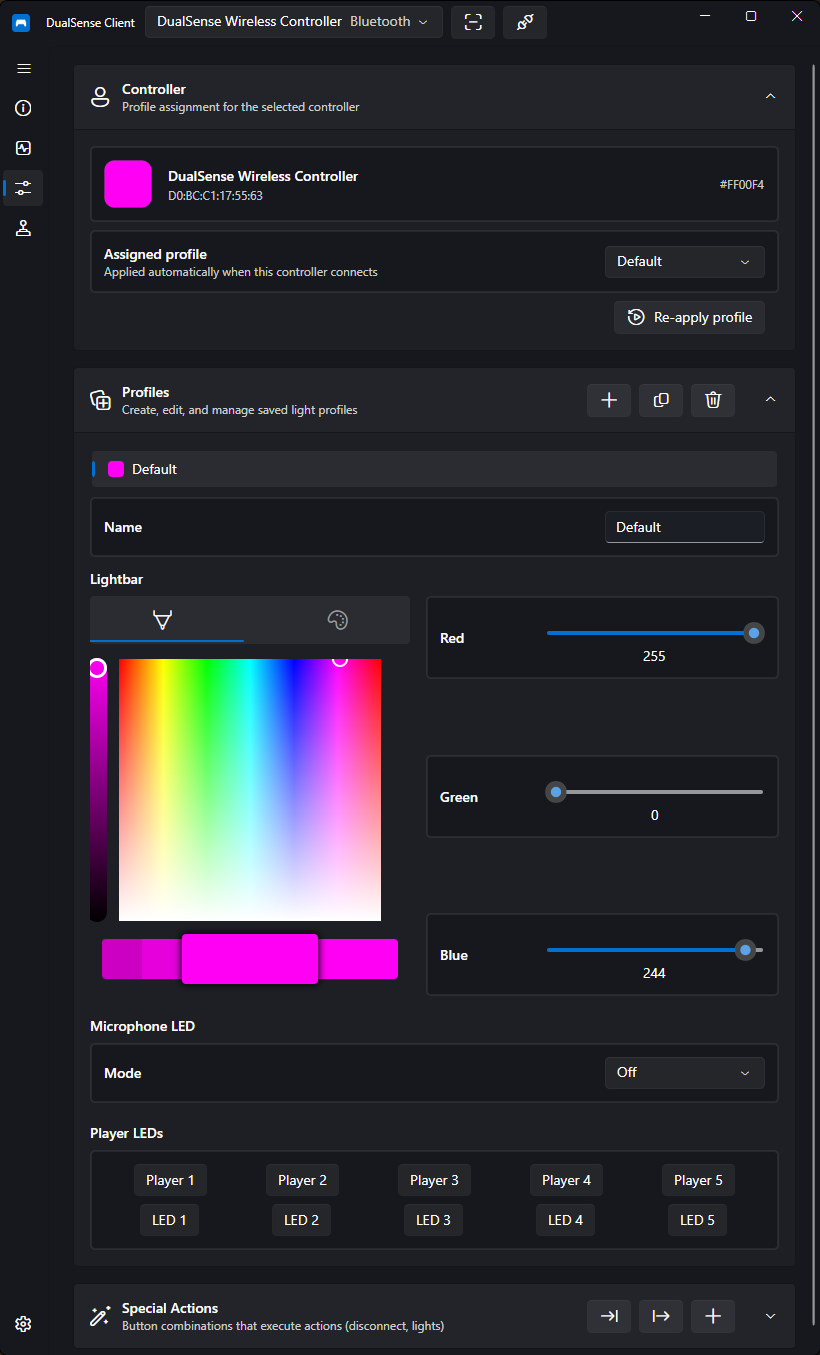
Profiles store your controller's settings and can be bound to specific controllers, so your setup is applied automatically every time a controller connects.
Creating a Profile
Create profiles from the Profiles page. You can:
- Create a new profile from scratch
- Duplicate an existing profile to use as a starting point
- Rename and delete profiles at any time
- Save the selected controller's current light state as a profile — set up your lighting exactly how you want it, then capture it
Binding Profiles to Controllers
Each profile can be bound to a specific controller by MAC address (with a device path fallback if the MAC is unavailable).
When a bound controller connects, its profile is applied automatically. You can also reapply the active profile manually at any time.
Tip
Binding by MAC address means you can own multiple controllers with different lighting setups — for example one per player — and each gets its own look the moment it connects.
Switching Profiles Automatically
To change profiles based on the focused program instead of the connected controller, use Auto Profiles — for example a different profile (and virtual controller mode) per game.