Device Information
The Device Information page shows everything the controller reports about itself. Select the active controller from the title-bar picker — all sections on this page reflect that controller.
Controller Identification
- Controller illustration — a skin-tinted visualization of the connected controller.
- Name — rename the selected controller. The name is stored per controller and used in the title-bar picker, tray menu, and notifications.
- Skin — choose the illustration skin used for the visualization above. Skins are stored per controller.
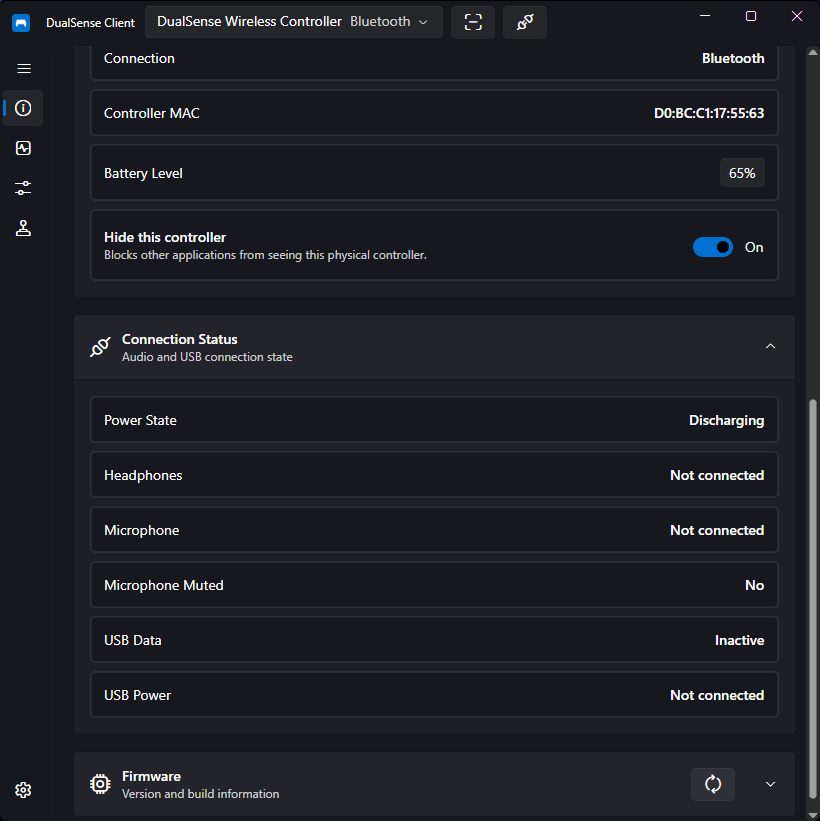
- Connection — the current transport: USB or Bluetooth.
- Controller MAC — the Bluetooth MAC address (or HID path as a fallback identifier).
Battery
- Current battery level (percentage when known)
- Power state, such as charging or discharging
A toggle lets you switch between the percentage text and a battery icon. The tray icon can also show the active controller's battery — see Settings.
Firmware & Hardware
Use the Refresh button in the header to re-read all values from the controller:
- Firmware versions — main, SBL, DSP, and MCU/Spider DSP
- Model revision, hardware version, and hardware generation
- Build date and Build time of the installed firmware
Connection Status
Live status indicators show whether:
- Headphones are plugged into the controller's jack
- A microphone is plugged in
- The microphone is muted
- USB carries data and/or power only
The Device page also exposes per-controller actions — the controller hiding toggle and virtual controller emulation — and the title-bar Scan/Disconnect controls described in Settings.